

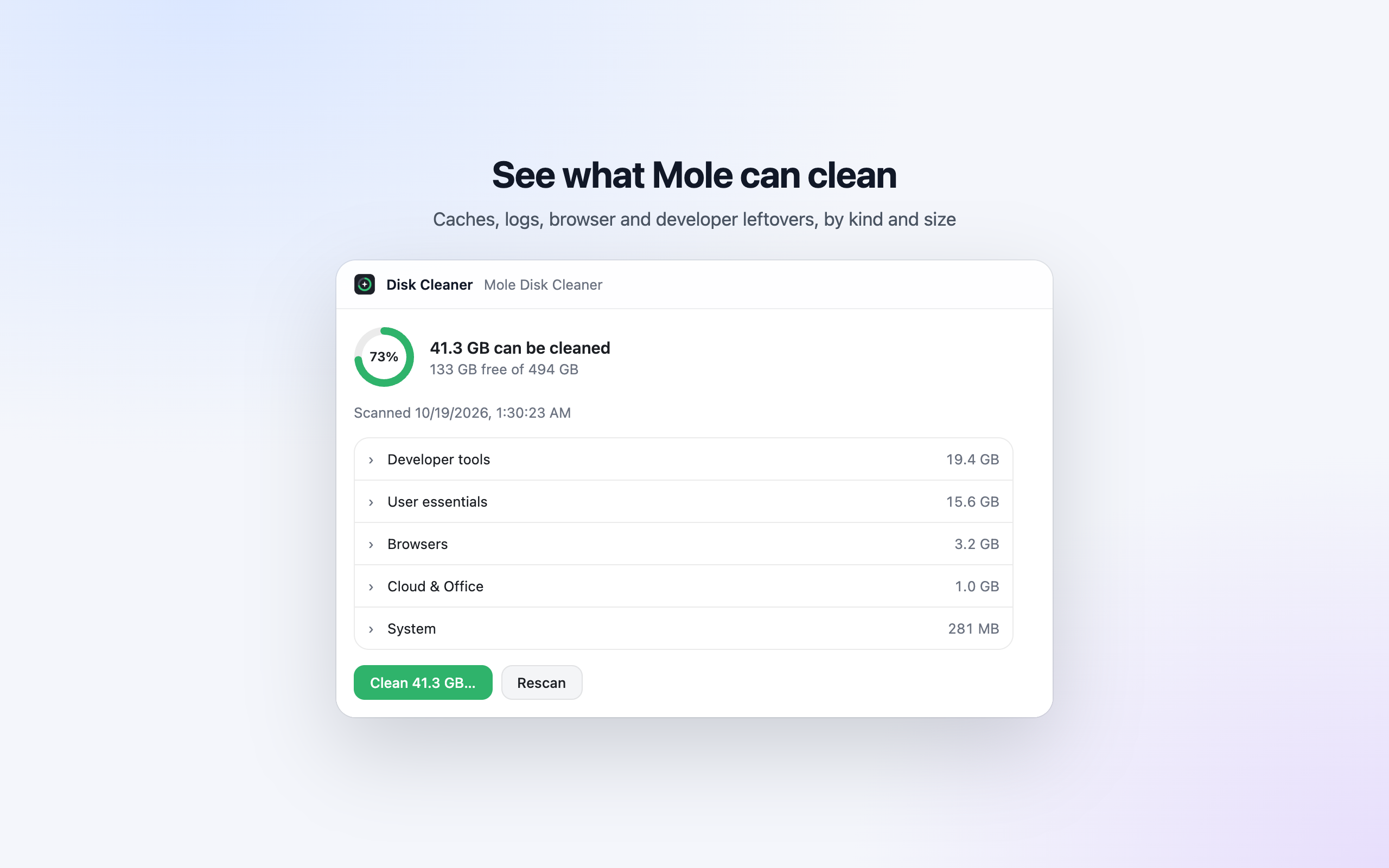
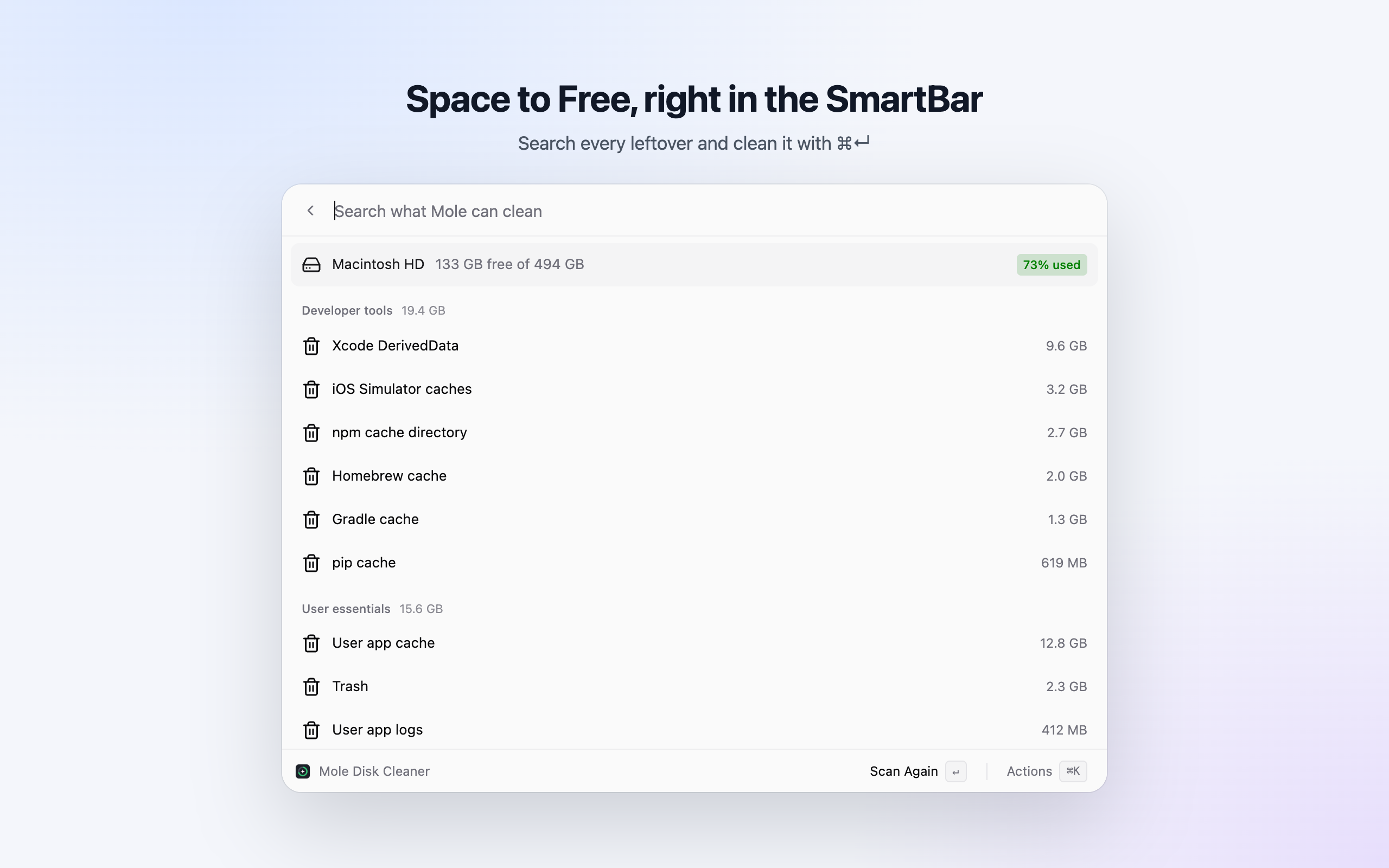
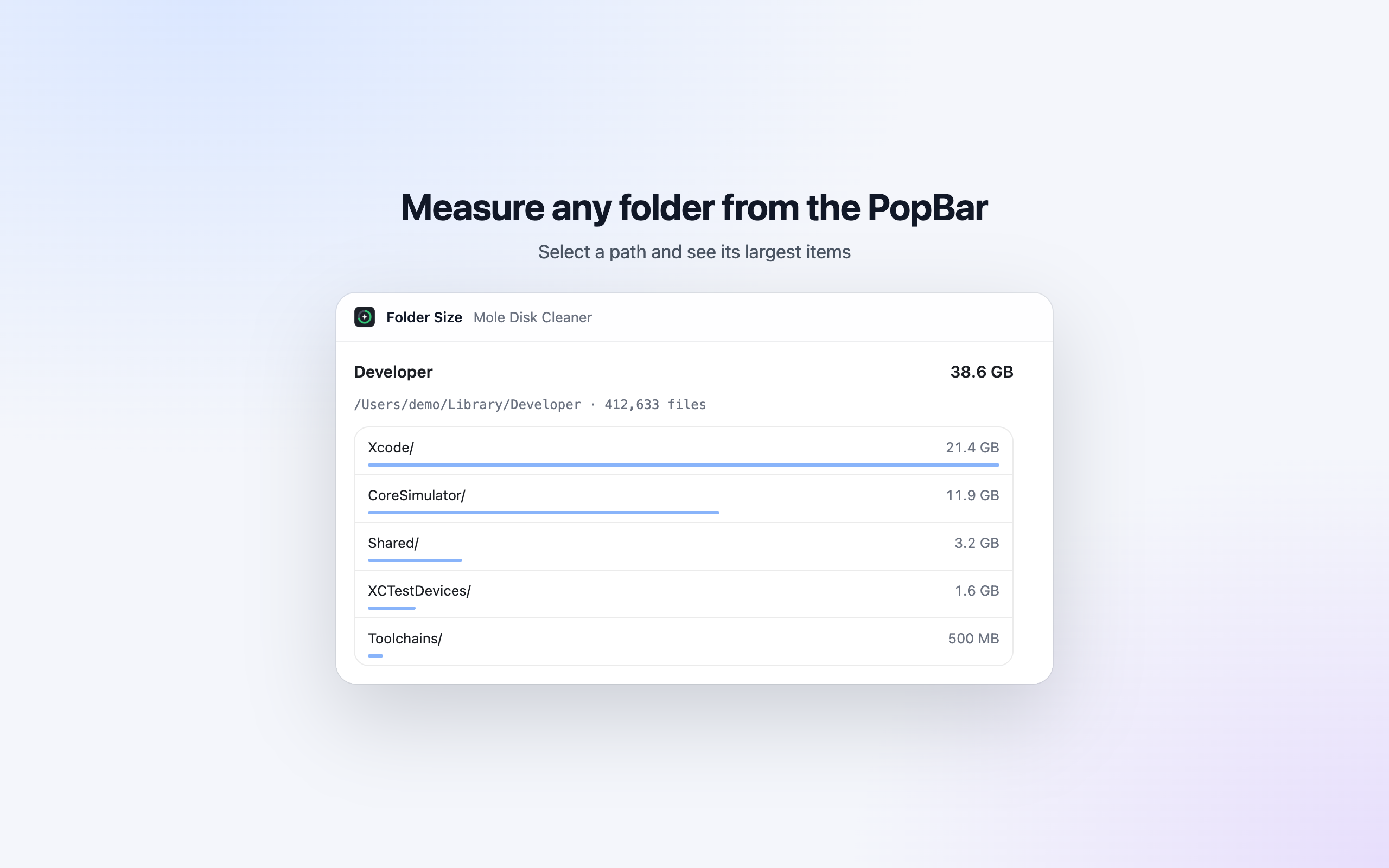
See how full your Mac's disk is and free space with the Mole CLI: a Disk Cleaner you open from the Chat Window, a chat's side panel or a SmartBar command, a searchable Space to Free list in the SmartBar, and a PopBar button that measures a selected folder.
簡介
See how full your Mac's disk is and free space with Mole. A sample of a third-party Enconvo plugin with UI: one MCP server in plain Node.js, no dependencies, two MCP App views and a list Mini App. Other MCP hosts (Codex, Claude Code) get the same tools and views.
Needs Mole: brew install mole.
Where it shows up in Enconvo
Installing the plugin adds its entry points (ADR-0126); there is nothing to place by hand.
| Tool | Declares | Shows up as |
|---|---|---|
cleanup_preview | _meta.ui.resourceUri ui://mole/cleaner.html, _meta["openai/ui"].entrypoints global and thread | Disk Cleaner in the Chat Window sidebar, a tab in a chat's side panel, and a SmartBar command (search and @) that opens the view |
analyze_path | _meta.ui.resourceUri ui://mole/folder.html, _meta["com.enconvo/popbar"] { "input": "selection" } | A PopBar button that measures the selected file or folder path and shows Folder Size |
cleanup_list | _meta["com.enconvo/list"] { "search": "filter" } | Space to Free, a SmartBar list Mini App (ADR-0128): the startup disk's free space, then what Mole can clean by kind, biggest first. Typing filters it; ↵ scans again and ⌘↵ cleans after a confirmation |
disk_space, cleanup_preview | _meta["com.enconvo/widget"] with Island slots only | Dynamic Island widgets: used space ring, what can be cleaned |
A PopBar tool is called with { "selection": "<selected text>" }; a global entrypoint
with {}. A PopBar button is added once: one the user removes stays removed.
clean_run is app-only (_meta.ui.visibility: ["app"]): the model never sees it, and a
host that doesn't name the MCP Apps extension (io.modelcontextprotocol/ui) at initialize,
and so might show it to its model anyway, gets neither the tool nor a way to call it.
cleanup_scan only runs a dry run, so any model may start one. clean_run is destructiveHint, needs the previewId of the preview the
user looked at, and its Island widget action carries a confirm line, so Enconvo asks first.
The Disk Cleaner view asks before it cleans.
mo clean deletes for good (Mole's trash mode covers only uninstalls), empties the Trash,
and skips what needs sudo because it runs without a terminal. Clean is offered, and
clean_run accepted, only for a preview less than a day old; an older one is scanned
again first. Sizes are in base 10 (1 GB = 1,000,000,000 bytes), as Mole and Finder show
them. Stopping a run stops Mole's whole process group.
A scan reads other apps' caches in ~/Library/Containers, so the first one makes macOS ask
whether Enconvo may access data from other apps. That first scan starts only from Scan (or a
model's cleanup_scan); after it, the widget scans again by itself when its preview is a
day old or a cleanup removed it. The scan waits for the answer; one that
prints nothing for 3 minutes stops and the widget asks to answer the prompt and scan again.
Files
| File | What it is |
|---|---|
plugin.json | Portable manifest (Agent Plugins) |
.codex-plugin/plugin.json, .claude-plugin/plugin.json | Codex and Claude Code manifests |
mcp.json, .mcp.json | The server, for portable hosts and for Claude Code. Change both together |
mcp/server.mjs | The MCP server |
mcp/cleaner.html | The Disk Cleaner view |
mcp/folder.html | The Folder Size view |
test/server.test.mjs | Tests against a fake mo; they never clean anything |
Try it
node --test test/server.test.mjs               # tests, with a fake mo
enconvo plugin validate                         # checks the package
enconvo plugin install .                        # installs it in Enconvo (Enconvo has to be running)
MOLE_BIN points the server at another mo; MOLE_WIDGET_DRY_RUN=1 makes a cleanup run
pass --dry-run. enconvo is the CLI Enconvo installs in ~/.config/enconvo/bin.
Publish
enconvo plugin publish # the Enconvo plugin store, with your Enconvo accountRaise version in the three manifests for every release.
MCP 伺服器1
- mole
資訊
- 開發者
- ysnows
- 類別
- 效率
- 版本
- 0.3.2
- 更新於
- 2026年10月24日
- 安裝次數
- 15
外掛商店裡的每個外掛上架前都經過 Enconvo 審核。
版本紀錄
- 0.3.22026年10月24日
The store now shows where Mole's views appear once installed, and marks the Disk Cleaner and Space to Free as Mini Apps you open from SmartBar.
- 0.3.12026年10月18日
Store screenshots: Disk Cleaner, the Space to Free list and Folder Size. Includes 0.3.0's Space to Free list Mini App.
- 0.2.02026年10月18日
Mole Cleaner now opens on its own after install: the Disk Cleaner shows up in the Chat Window sidebar, a chat's side panel and as a SmartBar command, and a new PopBar button measures the folder you select in its own Folder Size view.
-
 100HiresManage candidates, jobs, hiring workflows and requested recruiting communications.
-
 airfocusExplore and update product work, comments and customer insights.
-
 AirtableFind and update records in your bases.
-
 AkiflowManage authorized tasks, calendar events, time slots and attachments, and read meeting transcripts.
-
 AnarlogExplore authorized meeting notes, transcripts and recurring context.
-
 Any.doManage authorized tasks, reminders, team boards and calendar events.